
LLM Cost Analytics Dashboard (Demo) — Built for Devs & Tech Managers
See where your LLM budget goes—and how to cut it. This demo shows cost observability, autonomous budget pacing, and prompt health—without sending your prompt content to our servers.
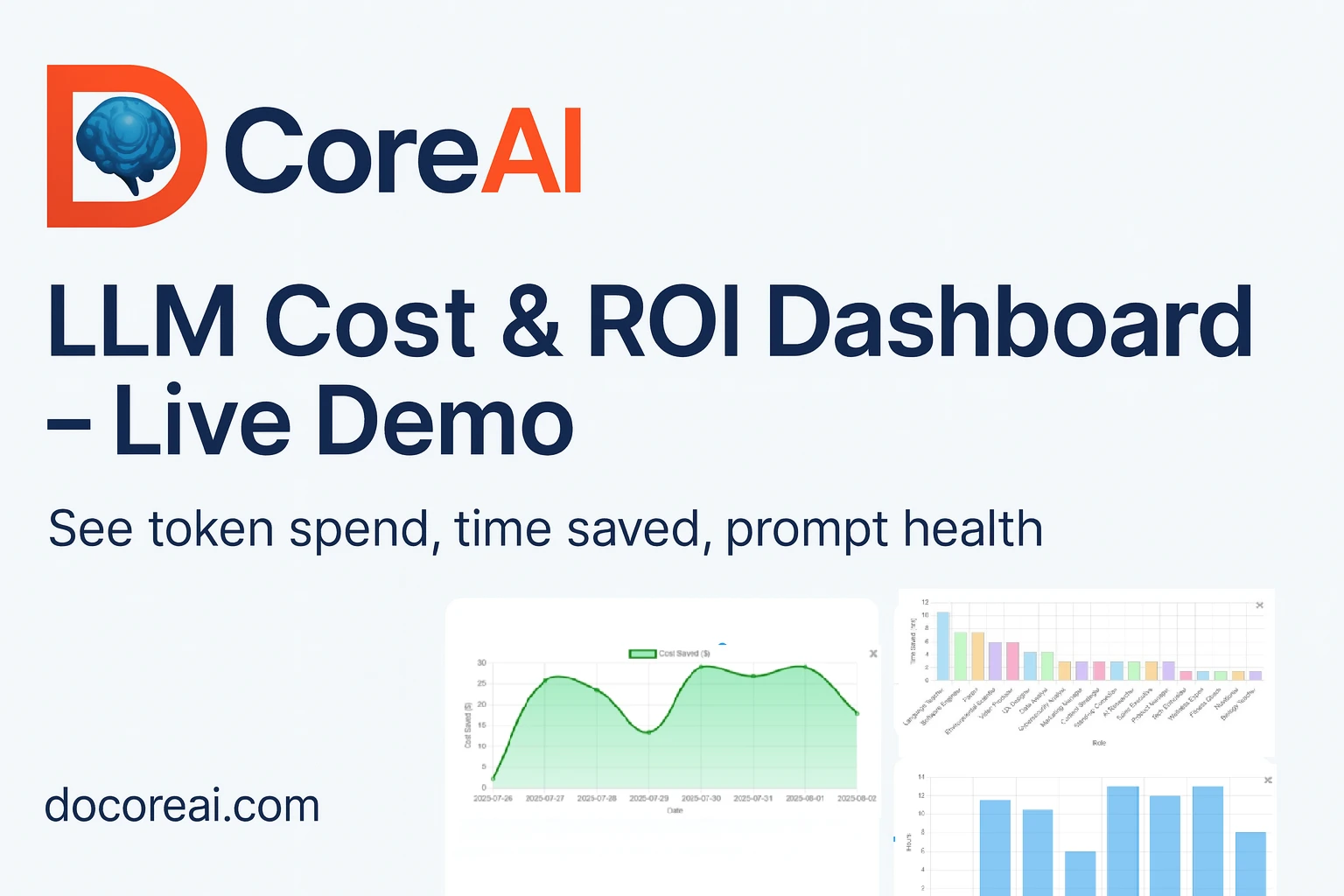
Preview the Management Dashboard
Below are sample charts with a simple Before/After toggle to show impact from DoCoreAI's cost observability, budget pacing, and prompt health tracking. Click "View insight" on any card for an executive summary.
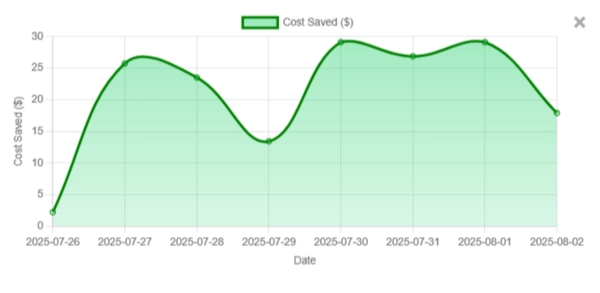
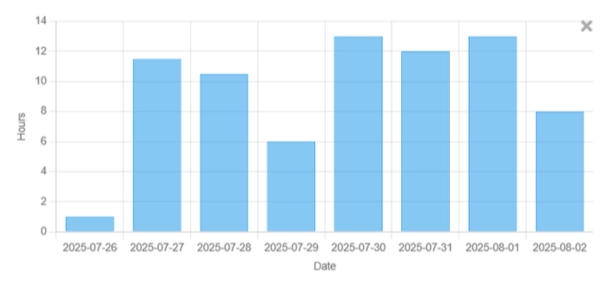
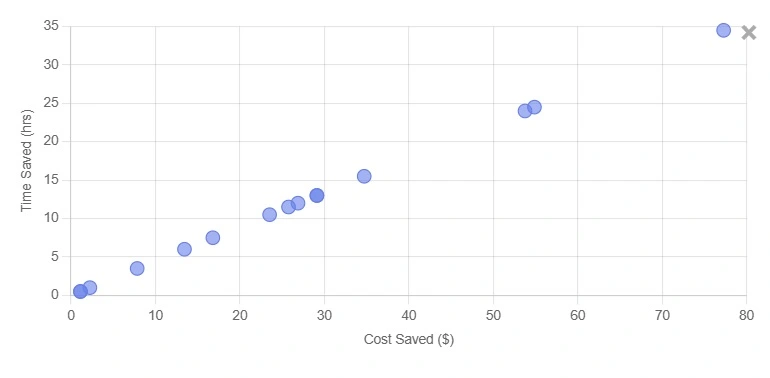
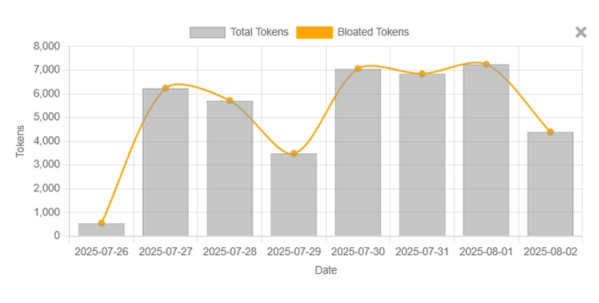
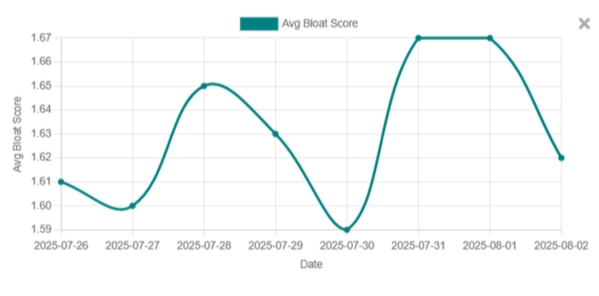
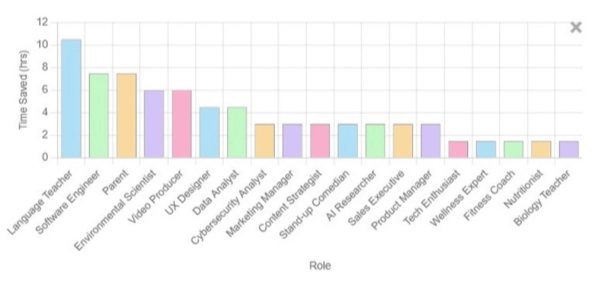
What You'll Learn From the Dashboard
An executive-friendly view of spend, efficiency, and outcome quality across teams. It centralizes telemetry—without storing your prompts—to guide cost cuts and stability improvements.
Measure over-generation, retries, and determinism to reduce token waste and engineering time. See how "prompt health" translates to lower costs and faster delivery.
How DoCoreAI Works (No Prompt Content Stored)
Runs as a sidecar
DoCoreAI installs as a lightweight sidecar via monkey-patching—it observes your LLM calls and captures parameters like temperature, max_tokens, and stop sequences as telemetry. Your original prompts and responses stay on your machine and are never sent to DoCoreAI.
Server-side analytics
Only telemetry—timings, token counts, success rates—flows to the dashboard. This is enough to compute cost, efficiency, ROI, and automated budget pacing without seeing your content.
Integrations & Setup (Zero-code Drop-in)
 Supported
 Supported
 Supported
 Supported
 Supported
 Supported
More providers will appear in-product as they're ready.
Security & Governance
Your data governance matters. DoCoreAI avoids storing prompt content and provides visibility for finance and engineering leadership.
- No prompt content leaves your environment; only telemetry is collected.
- RBAC-ready dashboards and team scoping.
- Audit-friendly summaries for monthly reviews.
- Automated budget pacing keeps spend within approved limits—no manual policing.
Questions Managers Ask
Does DoCoreAI store our prompts or outputs?
No. The sidecar runs locally and only sends telemetry (counts, durations, success signals) for analytics.
How quickly can we see savings?
Teams typically see early gains within the first week as high-variance prompts are tuned.
Which providers are supported?
DoCoreAI works out of the box with OpenAI, Anthropic, Google Gemini, Groq, AWS Bedrock, and Ollama, with more providers on the roadmap.
What's included free vs. paid?
See Pricing for current plan details and limits.
How do you calculate ROI?
Blends direct cost cuts (token spend) with developer time saved and infra overheads.
Ready to See Your Own Numbers?
Run DoCoreAI for a week and compare Before/After results across teams.
Last updated: June 2026 • This is a public demo. Your full dashboard is private to your workspace. Learn how we protect data.